

Why ChatGPT Gives Repetitive Answers (and the 2-Step Prompt That Fixes It)
By Emmanuel Abou Chabke, Founder and Editor · Reviewed by the AIQuickPrompt editorial team · About the publisher
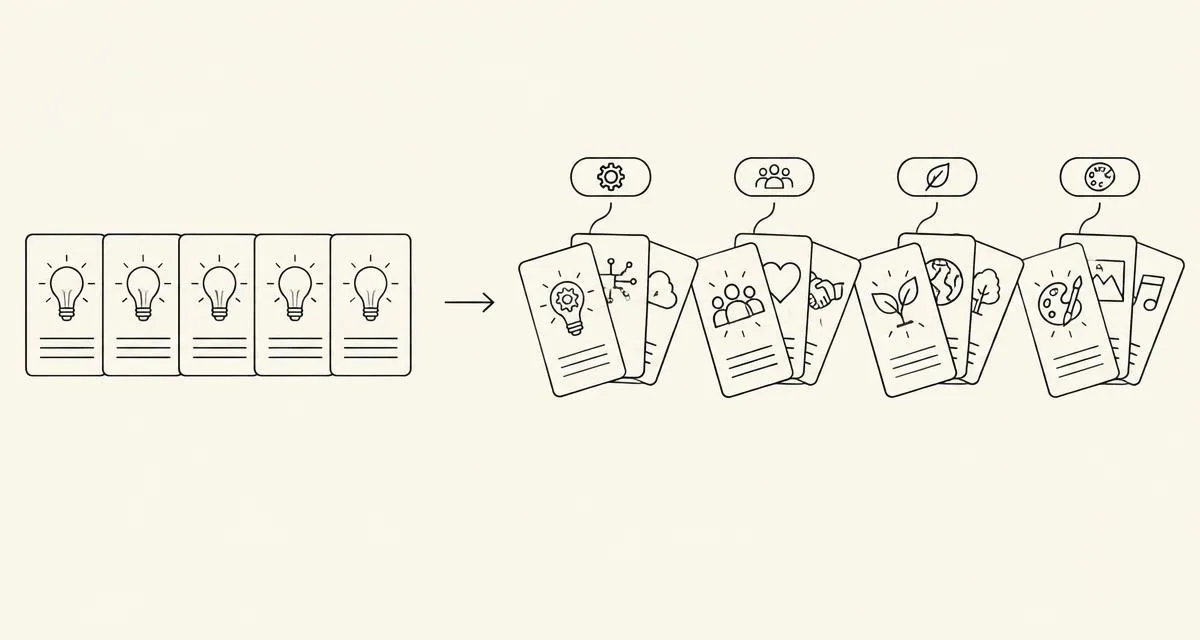
Short answer: ChatGPT, Claude and Gemini give repetitive answers because, when you ask for 'ideas', they pick the most likely ideas first, and those are the same every time. The fix is a 2-step prompt: first ask the AI to list different themes, then ask for ideas inside each theme. In a new study with 1,000 generated recipes, this 'concept-guided' method covered 47% of the variety found in human recipes, against 35% and 13% for two simpler prompts. Below are 5 copy-ready templates and a quick test to keep your best prompts working.
Key takeaways
The quick version before the details.
- AI repeats itself because it reaches for the most likely answer first.
- Asking for themes first, then ideas per theme, gives much more variety.
- Rewriting a prompt fixes format and clarity, but cannot add facts the AI does not know.
- Test every new prompt version on a few old examples before you save it.
- Never put passwords or private details in saved AI instructions.
New prompt research this week
Four new research papers from late October and early November 2026 give practical lessons for everyday prompts.
- Concept-guided prompting (arXiv, Oct 31) | listing themes before ideas raised variety to 47% coverage, against 35% and 13% for simpler prompts, in a 1,000-recipe test.
- Prompt optimisers are not magic (arXiv, Oct 31) | on strong reasoning models, automatic prompt rewriting did not raise accuracy, but it did fix format and instruction errors.
- STEVE (AACL 2026) | improve a prompt using only the examples it got wrong, and keep the change only if the examples that worked still work.
- Hidden instructions can leak (arXiv, Nov 3) | researchers extracted the hidden instructions of complex AI services more reliably than before.
Why AI answers feel repetitive
AI models write the most likely next words. When you ask '10 ideas for a coffee shop post', the most likely ideas are the same ones everyone gets: a latte photo, a discount, a 'Monday mood' post.
Asking for 'more creative' rarely helps, because the model still starts from the same likely place. Changing where it starts does help.
The 2-step prompt: themes first, then ideas
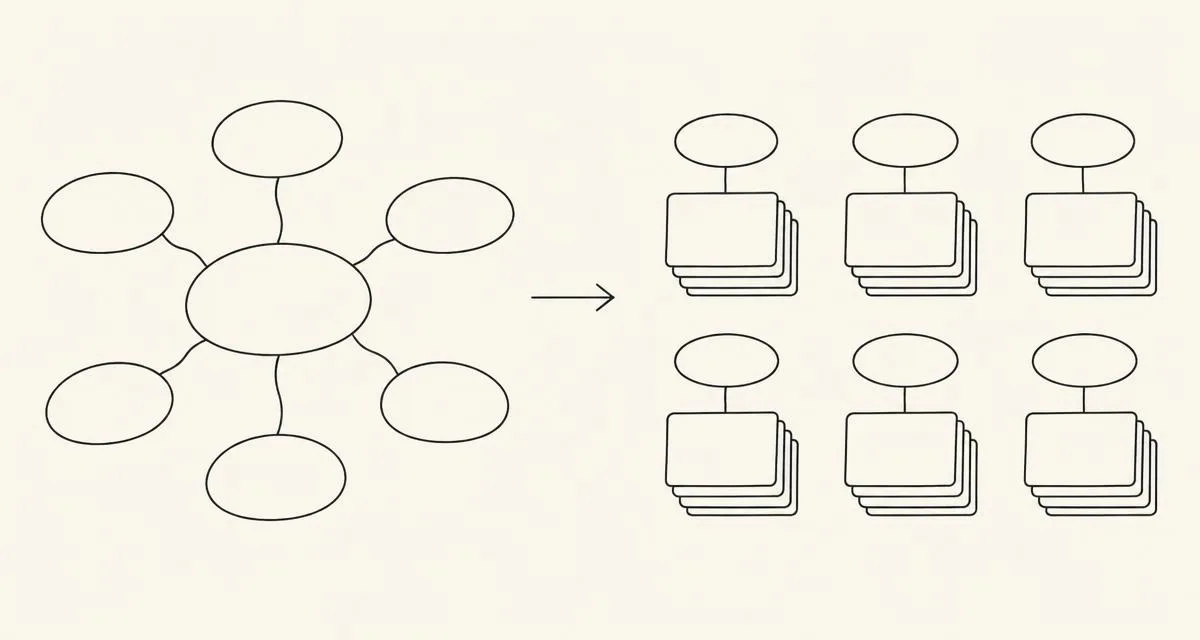
Step 1: ask for a list of clearly different themes or angles. Step 2: ask for a few ideas inside each theme. You can do both in one prompt.
Before: 'Give me 10 Instagram post ideas for my coffee shop.' After: 'First list 5 very different themes for Instagram posts for a neighbourhood coffee shop (for example people, process, local area). Then give 2 post ideas for each theme. Avoid discounts and generic latte photos.'
5 copy-ready templates
Replace the words in {{double brackets}} with your own details.
Brainstorming | 'First list 6 very different angles on {{topic}}. Then give 2 ideas per angle, one sentence each. Skip the most obvious ideas.'Content ideas | 'List 5 distinct themes my audience of {{audience}} cares about. For each, suggest 3 blog or social post titles.'Product names | 'List 5 naming styles (for example descriptive, playful, invented word, metaphor, founder name). Give 4 names per style for {{product}}.'Ad angles | 'List 5 different reasons someone would buy {{product}} (save time, save money, status, safety, fun). Write one ad headline per reason.'Recipes or menus | 'List 5 different cuisines or cooking styles. Suggest 2 {{dish type}} recipes per style using {{ingredients}}.'
When rewriting a prompt helps, and when it does not
Prompt rewriting tools, including AI Optimise, are great at making prompts clearer: better structure, a clear format, a length limit and no contradicting rules.
- Helps | messy instructions, wrong output format, missing length or tone.
- Does not help | facts the AI does not know (add the facts or a source instead).
- Does not help | answers cut off because they are too long (ask for less, or split the task).
The 'don't break what works' test
When you improve a prompt, it is easy to fix one case and break three others. Before saving a new version, run it on 3 old examples that already worked well. Keep the new version only if they still work.
Safety tip: keep secrets out of saved instructions
Custom instructions, GPTs and agent setups can be extracted by determined people. Do not put passwords, API keys or private client details in them. Store sensitive prompts in a private, locked place and add details only when you run them.
How AIQuickPrompt helps
AIQuickPrompt is a private prompt vault for prompts you reuse.
- Save the 5 templates above with {{variables}} and fill them in with a quick form.
- AI Optimise makes a prompt clearer and better structured.
- Version history lets you compare versions and go back if a change breaks something.
- Locked folders keep sensitive prompts private.
- Free plan to start | Pro €2.99 a month or €19.99 a year.