

Best AIPRM Alternatives in 2026: 7 Prompt Tools Compared (Free and Paid)
By Emmanuel Abou Chabke, Founder and Editor · Reviewed by the AIQuickPrompt editorial team · About the publisher
Short answer: the best AIPRM alternative for most people is a private prompt vault that works with every AI model, not just ChatGPT. AIQuickPrompt is our pick because it saves your own prompts in folders, fills in {{variables}}, optimises prompts with AI and works with ChatGPT, Claude and Gemini, with a free plan and Pro from €2.99 a month. Below we compare 7 options honestly, so you can pick the right one for how you work.

Key takeaways
The quick version before the full comparison.
- AIPRM is mainly a ChatGPT browser extension with a public prompt library.
- People look for alternatives when they want privacy, other AI models or their own organised prompts.
- A prompt vault (like AIQuickPrompt) is best if you reuse your own prompts every day.
- Marketplaces (like PromptBase) are best if you want to buy ready-made prompts.
- Notes apps and text expanders are free but have no AI help, versions or variables.
Why people look for an AIPRM alternative
AIPRM made prompt libraries popular, but needs have changed. Most teams now use more than one AI model, and many prefer to keep their prompts private.
- Works mostly inside ChatGPT | many users also use Claude and Gemini.
- Built around public community prompts | you may want your own private library.
- Depends on a browser extension | it can break when the chat site changes.
- Limited help improving your own prompts.
AIPRM alternatives compared at a glance
Here is how the main options compare. Check each tool's own website for current prices, as they change often.
| Option | Details |
|---|---|
| AIQuickPrompt | private vault, all AI models, AI Optimise, variables, versions, backups | Free, Pro €2.99/month. |
| AIPRM | ChatGPT extension, public prompt library | free and paid plans. |
| PromptBase | marketplace to buy and sell single prompts | pay per prompt. |
| ChatGPT Projects and custom GPTs | built into ChatGPT, ChatGPT only | needs a ChatGPT plan for full use. |
| Notion or Google Docs | flexible notes, no AI prompt tools | free to start. |
| Text expanders | paste saved text with a shortcut, no AI help | free and paid. |
| Other browser prompt extensions | quick access in the chat window, often one model | mostly free. |
1. AIQuickPrompt | best overall AIPRM alternative
AIQuickPrompt is a private prompt vault built for people who reuse prompts every day. You save prompts once, organise them and copy a finished prompt in seconds for any AI model.
- Works with ChatGPT, Claude, Gemini and any other model.
- AI Optimise rewrites a prompt to be clearer, and Recommend a model suggests the best AI for it.
- {{variables}} turn one prompt into a reusable template with a quick form.
- Folders, tags, favourites, locked folders, version history and backups.
- Free plan | Pro €2.99 a month or €19.99 a year.
2. AIPRM | best for ChatGPT community prompts
If you only use ChatGPT and like browsing popular community prompts, AIPRM is still a solid choice.
- Pros | large public library, works right inside ChatGPT.
- Limits | focused on ChatGPT, less suited to private, organised prompts across models.
3. PromptBase | best for buying ready-made prompts
PromptBase is a marketplace. It is useful when you want a specialised prompt, for example for image generation, and are happy to pay for it.
- Pros | huge choice, niche prompts.
- Limits | you pay per prompt and still need somewhere to save and organise what you buy.
4. ChatGPT Projects and custom GPTs | best built-in option
ChatGPT lets you save instructions in Projects and custom GPTs. It is handy but locks your prompts inside one tool.
- Pros | no extra app, good for a few repeated tasks.
- Limits | ChatGPT only, hard to search many prompts, no variables form.
5. Notion or Google Docs | best free DIY option
Many people start with a document of prompts. It works until the list grows.
- Pros | free, flexible, easy to share.
- Limits | no AI optimisation, no variables, slow to find and copy the right prompt.
6. Text expanders | best for speed typing
Text expanders paste a saved snippet when you type a shortcut. Great for short, fixed text.
- Pros | very fast, works in any app.
- Limits | no AI help, hard to manage long prompts with many versions.
7. Other browser prompt extensions | best for quick access
There are many small extensions that add a prompt menu to chat sites.
- Pros | quick, usually free.
- Limits | often tied to one model, can break with site updates, check how they handle your data.
How to switch from AIPRM in 5 minutes
Moving your prompts is quicker than you think.
- Step 1 | list the 10 to 20 prompts you actually use every week.
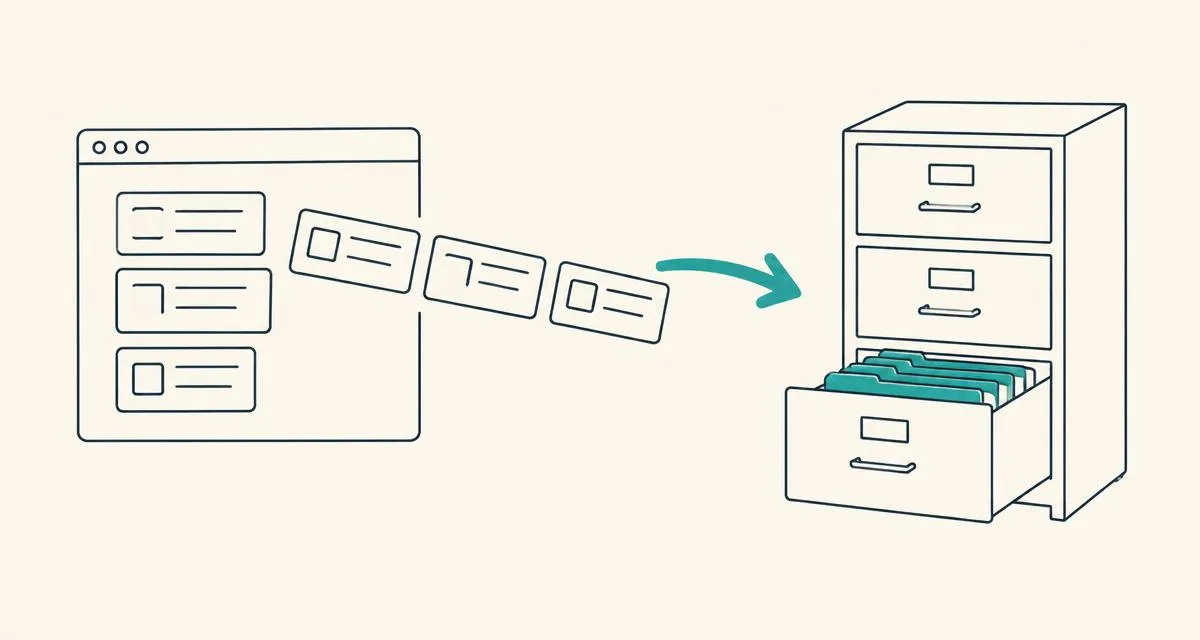
- Step 2 | create a free AIQuickPrompt account and make folders like Marketing, Sales and Coding.
- Step 3 | paste each prompt and replace changing parts with {{variables}}.
- Step 4 | run AI Optimise on your most used prompts to make them clearer.
- Step 5 | copy and use them in ChatGPT, Claude or Gemini from now on.
Which AIPRM alternative should you choose?
Pick based on how you work, not on the biggest library.
- You reuse your own prompts and use several AI models | AIQuickPrompt.
- You only use ChatGPT and like community prompts | AIPRM.
- You want to buy specialist prompts | PromptBase.
- You have fewer than 10 prompts | a notes app is fine for now.
AIPRM is a good ChatGPT extension, but if you want a private, organised library that works with every AI model, a prompt vault is the better fit. Start free with AIQuickPrompt, save your top prompts today and upgrade to Pro for €2.99 a month when you need unlimited prompts and more AI Optimise. For more, read our guides to the best prompt management tools, the best ChatGPT prompts and how to organise AI prompts.